Case study · Bulut
Cataloging
Clean, searchable product data for warehouse and sales systems
- Role
- Product Designer
- Context
- Bulut
- Tools
- FigmaCursor (MCP)Microsoft Clarity
01
Context
The problem
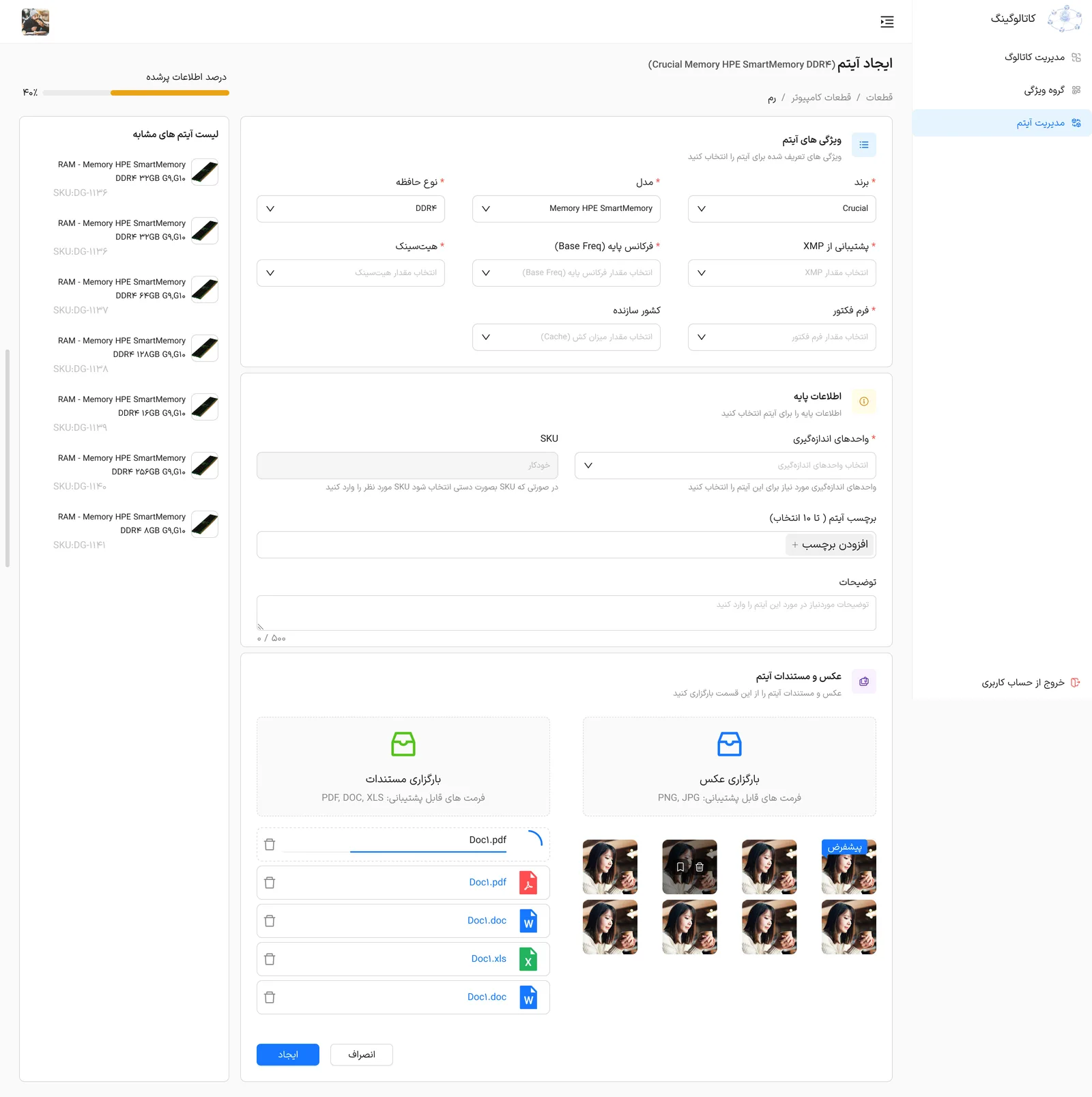
The cataloging system helps businesses organize products accurately and consistently. It standardizes item details such as titles, specifications, categories, images and barcodes, producing clean, searchable product data that integrates with sales, inventory and distribution systems.
What was broken
Cataloging is more complex than it looks. It underpins many company operations and has many business rules and dependencies, so inefficiencies spread to connected systems and affect data accuracy and reliability.
02
Approach
How I got there
01
Field research and talks with the stakeholders to understand the real work, desk research on similar products and best practices, and business meetings to agree on the problem and find the solution. I did the full product-design scope: research, solution finding and design.
02
Competitor analysis and research, plus interviews with the product owner.
03
Microsoft Clarity analytics and UX best practices to find optimization opportunities.
04
The design was built in Figma and connected to Cursor through MCP for real-time development, followed by usability testing.
03
Solution
What I designed
- The cataloging process was redesigned as a simpler, more modern and more intuitive interface.
04
Impact
Results
- A streamlined experience with less user complexity, aligned with business logic and data integrity.
- Faster data entry and easier product management.
- A scalable foundation for future projects.
- Impact was not measured in numbers for this project, so these results are qualitative.
Why so few screens? Most of this work is under NDA, so I can only share a small part of it. I am happy to walk through the rest in a conversation.
The craft