Case study · Bulut
Fourmulation
A canvas for building product formulas from items and activities
- Role
- Product Designer
- Context
- Bulut
- Tools
- ManufacturingFormulationWeb
01
Context
The problem
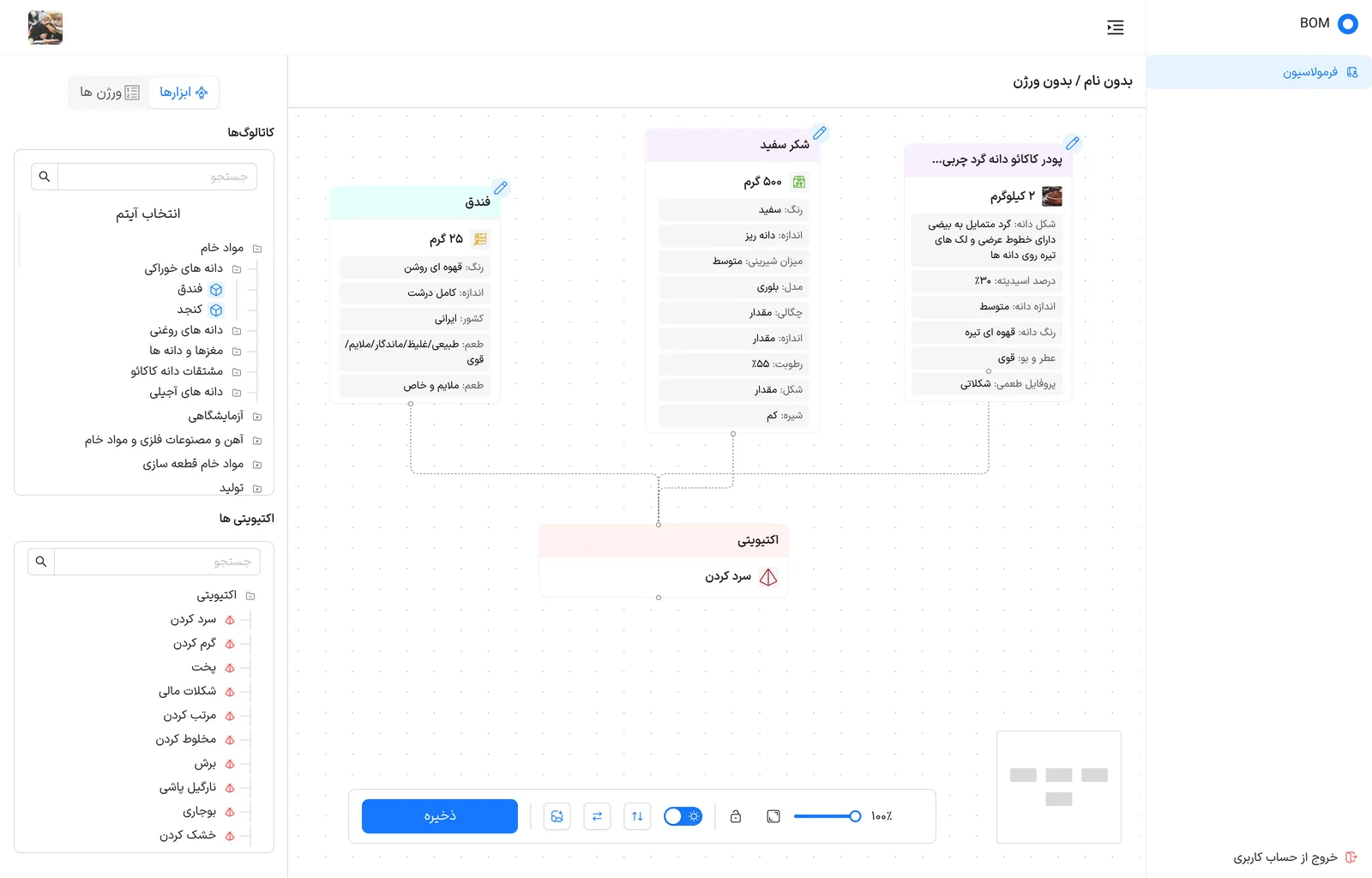
Formulation is the part of the BOM product where a formula is assembled on a canvas. The left panel holds two catalogs: items (raw materials grouped as edible grains, oils, nuts, cocoa derivatives and so on, plus laboratory and metal materials) and activities (cooling, heating, cooking, mixing, cutting and more). Each item is dragged onto the canvas as a card that lists its own attributes, and dashed connectors feed the items into an activity.
What was broken
A formula is more than a list of ingredients: every material has its own attributes, and the steps applied to it change the result. The tool has to let a person build that picture visually and still keep each material's details readable.
02
Solution
What I designed
- Two searchable catalogs side by side, with the items in a collapsible tree by category, so any material is found by browsing or by search.
- Item cards that show the name, the amount and a colour band per type, then a tidy list of attributes (colour, size, taste, moisture, acidity and similar) so the properties are visible without opening anything.
- Activity cards that receive the connectors, so the flow reads from the items at the top down to the step applied to them.
- Canvas controls in one bar: save, image export, swap and sort buttons, a light switch, lock, fit-to-screen, a zoom slider and a minimap.
- A switch between the tools panel and the versions list, and a title that shows the formula name and its version.
03
Impact
Results
- A formula can be read at a glance: items, their attributes and the step that joins them are on one canvas.
- Catalogs, canvas and versions stay on one screen, so a formula is built without leaving the page.
The craft