Case study · Bulut
Warehouse PDA App
A handheld app for scanning, counting and checking stock
- Role
- Product Designer
- Context
- Bulut
- Tools
- WarehousePDAMobile
01
Context
The problem
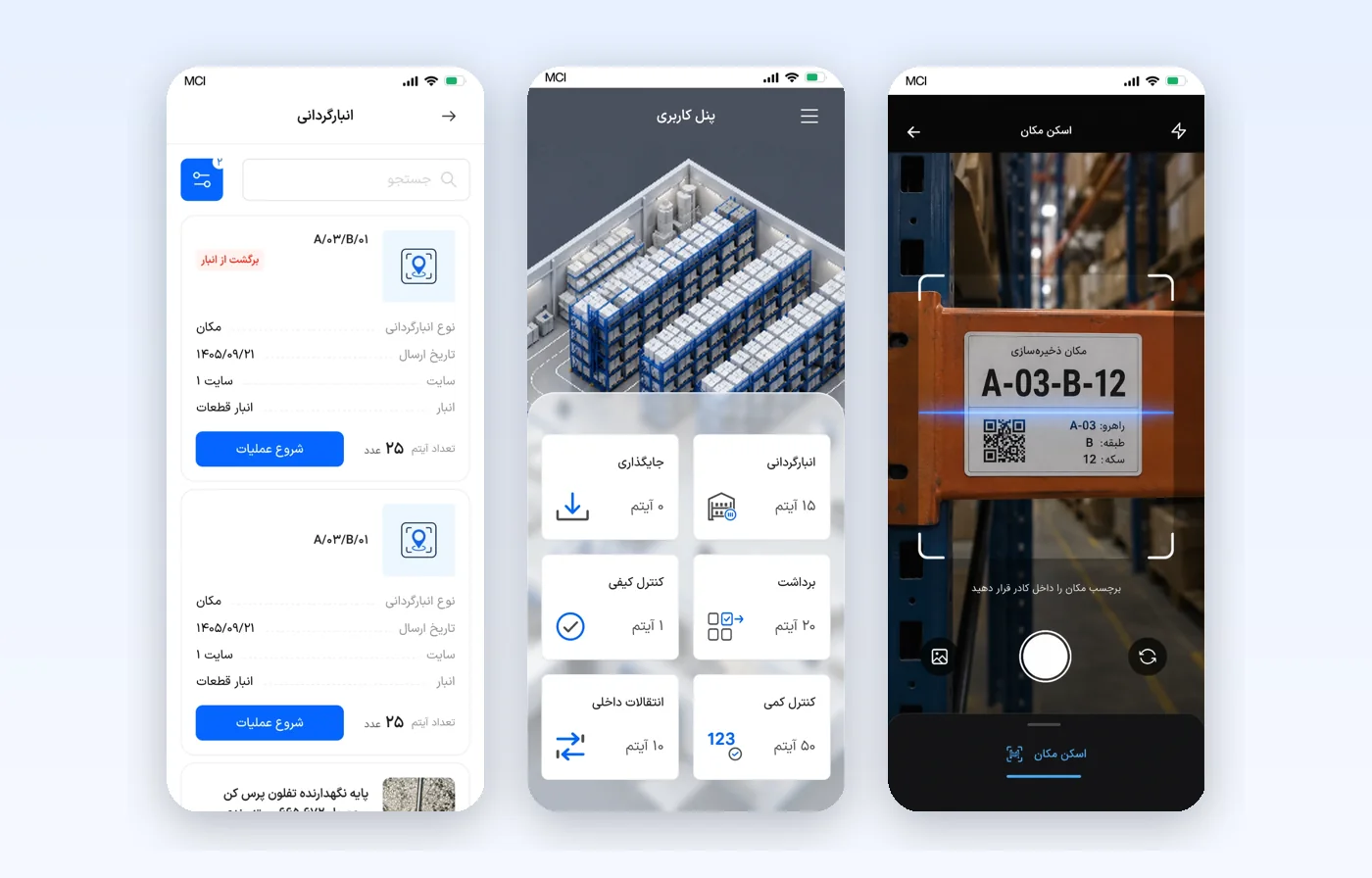
Warehouse staff work with a handheld PDA scanner, usually standing at a shelf with one hand busy. The app gathers their jobs on one dashboard (inventory count, picking, put-away, quality control, quantity control and internal transfers) and walks them through each one by scanning a location or a serial number.
What was broken
A PDA screen is small and used on the move, so every screen has to read at a glance and every action has to take as few taps as possible. The jobs differ in what they check, yet staff should not have to learn a new pattern for each one.
02
Approach
How I got there
01
Reviewed warehouse handheld apps for put-away, picking, counting and receiving, and compared how each handles scanning, task detail, confirmation and exceptions.
02
Mapped every job to the same path: a task list, a task card with one start button, a scan step, and a status for each row.
03
Kept the controls large and the language short, so a job can be read and confirmed one-handed.
03
Solution
What I designed
- A dashboard with one tile per job, each showing how many items are waiting.
- Task cards that show only the essentials (receipt number, send date, site, warehouse, serial count) with a single start button; product details fold under "More".
- A camera screen with a clear frame, a short instruction and a dedicated scan-location tab.
- A serial list for quantity and quality control with status filters, an "8 of 8" counter, a status for every row and a reason shown for damaged or rejected items.
- A finish button that stays disabled until every row has a status, with a line under it saying how many rows remain.
04
Impact
Results
- Six warehouse jobs share one dashboard, one task card and one scan pattern.
- Exceptions (damaged, rejected, pending) are recorded on the row with a reason instead of in a separate step.
- The finish step cannot be reached with unresolved rows, which keeps counts complete.
Requester side
Mobile app (PWA)
Discovery
Research
Handover