Case study · Bulut
Warehouse Item Requests
A PWA for requesting goods, now connected to cataloging
- Role
- Product Designer, the only designer on the project, working with the product owner and developers
- Context
- Bulut
- Tools
- Figma
The result, first
What changed because of this work
519
Active users in the last 30 days
1.91K
Sessions in the last 30 days
80.2%
Of searchers submit a request
53.9%
Of browsers submit a request, from the home page
01
Context
The problem
Requesting goods from the warehouse is something almost every team does. This is the PWA version of that flow, built on top of the cataloging system so that requests, reviews and allocations all speak the same language.
What was broken
The previous web version was not connected to cataloging. Users requested whatever they wanted in free form, so the warehouse had to interpret each request, answers took long, and there was no reliable way to report on what the company was asking for.
02
Approach
How I got there
01
Field research and talks with the stakeholders to understand the real work, desk research on similar products and best practices, and business meetings to agree on the problem and find the solution. I did the full product-design scope: research, solution finding and design.
02
Mapped how requests moved from the requester to the warehouse in the old web version, and where they stalled.
03
Redesigned the requester side as a mobile PWA: categories, search, request registration with urgency, and tracking.
04
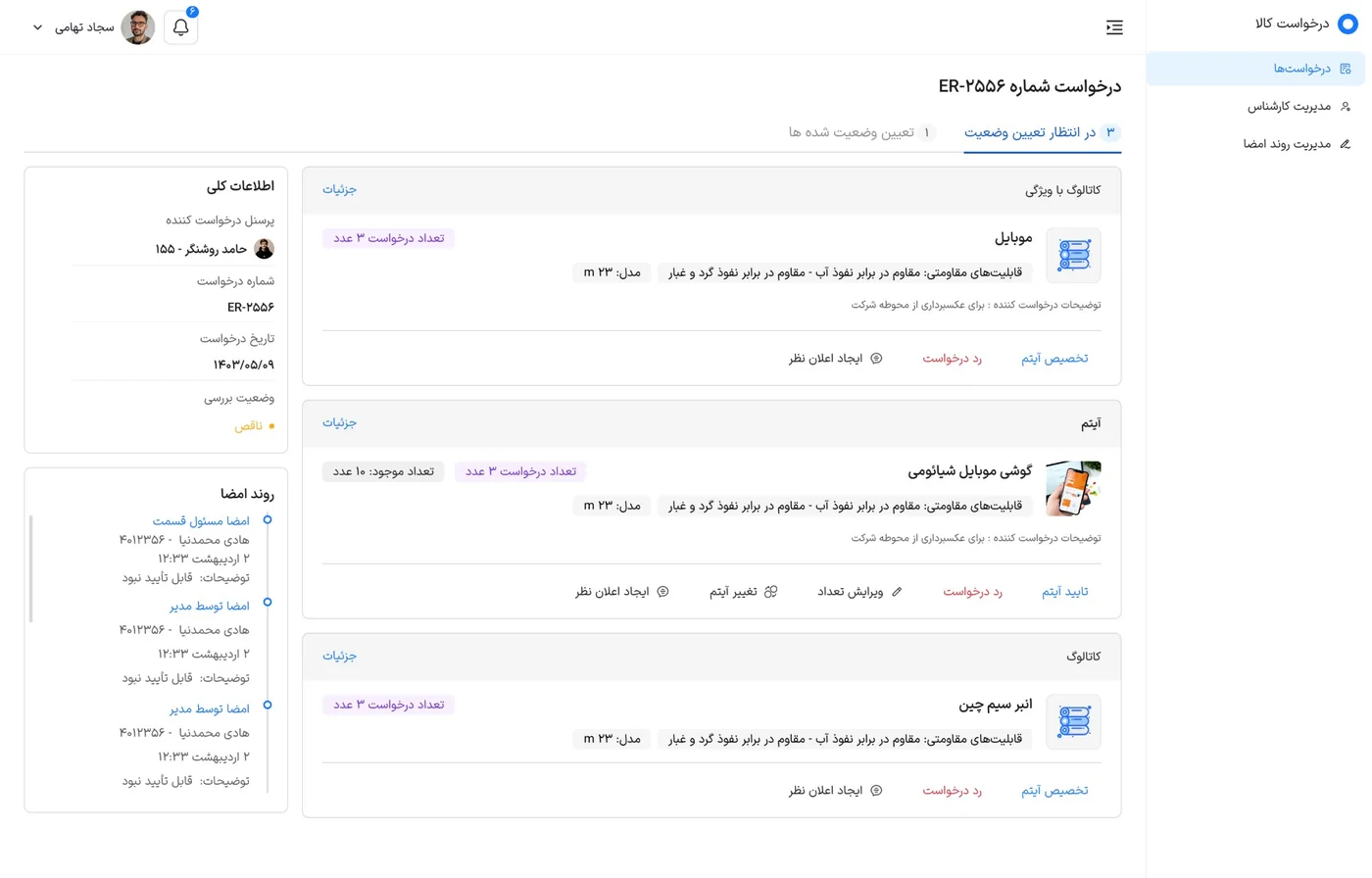
Designed a specialist workspace for reviewing each request: approve, reject, edit the quantity, change the item or write an opinion, with a comparison view and a signing timeline.
05
Designed how reviewed requests continue to the warehouse or return as rejected.
03
Thinking
Key decisions
I decided to
Connect requests to the cataloging system
Because
In the old web version users could ask for anything in their own words. Choosing from standardized categories and items keeps every request clear and comparable.
I decided to
Add a specialist review step between the user and the warehouse
Because
The specialist can approve an item, reject it, change the quantity or replace it with a better match, and only then does the request go to the warehouse or come back rejected.
I decided to
Show the request status and signing flow to the requester
Because
A tracking list with clear statuses (in signing, awaiting allocation, allocating, completed, rejected) answers 'where is my request?' without anyone having to ask.
04
Impact
Results
- Requests move faster and the process is more cohesive from request to allocation.
- Because requests now use cataloged items, the company can produce reports on them.
- Within 30 days, 519 people used the app and 80.2% of those who searched went on to submit a request.
- A mobile-first experience for requesters and a focused workspace for specialists.
Requester side
Mobile app (PWA)
After launch
Usage analytics
Why so few screens? Most of this work is under NDA, so I can only share a small part of it. I am happy to walk through the rest in a conversation.
The craft