Case study · Bulut
Warehouse System
A cloud warehouse system replacing a Windows desktop product
- Role
- Product Designer, the only designer on the project, working with the product owner and developers
- Context
- Bulut
- Tools
- Figma
01
Context
The problem
The company's warehouse work ran on a Windows desktop application. This project replaces it with a cloud-based system that makes everyday processes faster and more structured, and connects to PDA devices so stocktaking can be done at the shelf.
What was broken
The old Windows product slowed warehouse work down. Processes were not clearly defined, steps were hard to follow, and there was no good way to connect handheld scanners for the detailed counting that advanced stocktaking needs.
02
Approach
How I got there
01
Field research and talks with the stakeholders to understand the real work, desk research on similar products and best practices, and business meetings to agree on the problem and find the solution. I did the full product-design scope: research, solution finding and design.
02
Reviewed competing inventory products screen by screen, and mapped the existing desktop application and its warehouse processes with the product owner.
03
Ran event-storming sessions with sticky notes to lay out the real warehouse events, then turned them into a mind map, an architecture and a workflow.
04
Redesigned the main flows as a web product: receipts, transfers, stocktaking, inventory and configuration, with access levels per role.
05
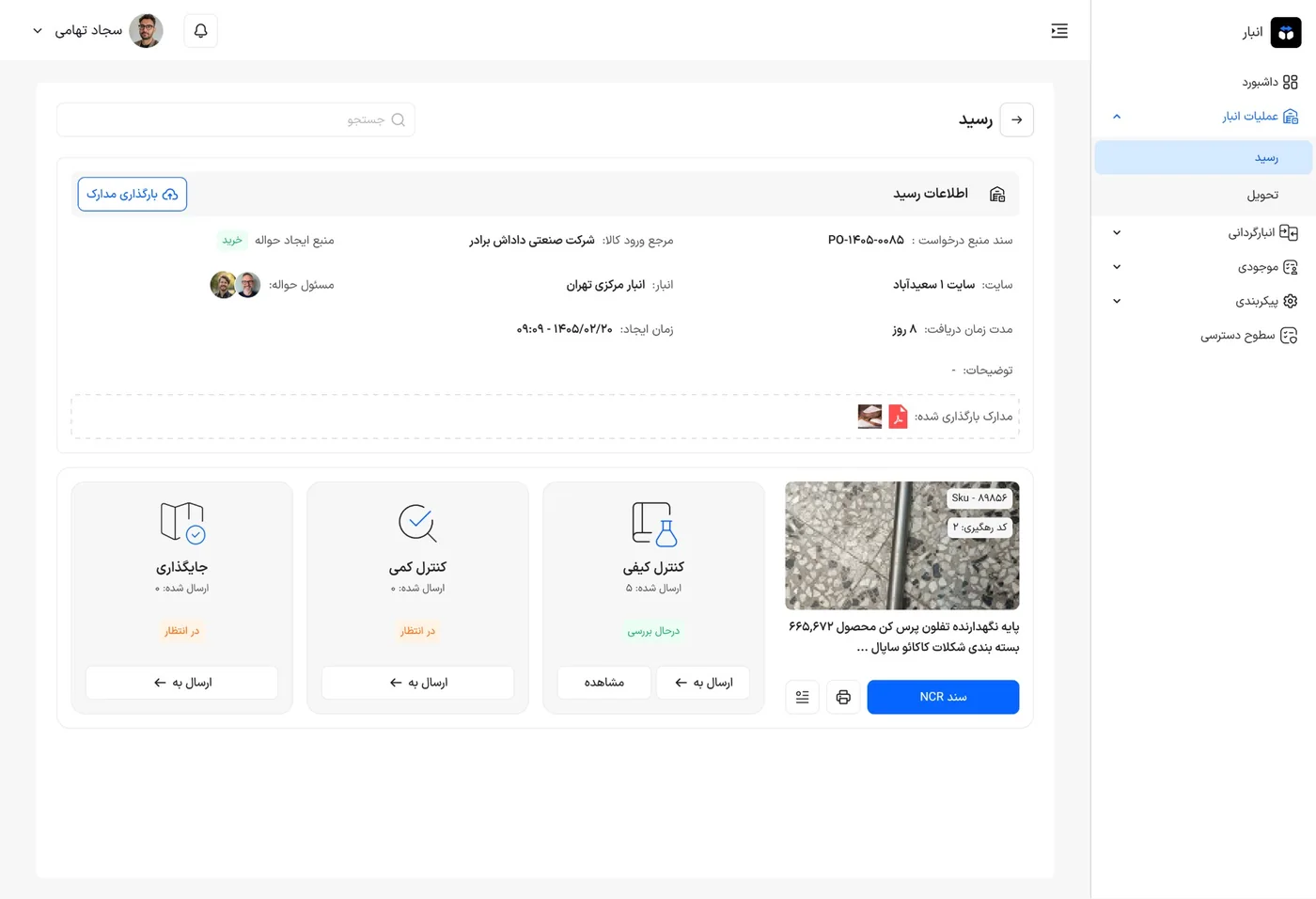
Designed the receiving flow around the real sequence of quality control, quantity control and placement, including non-conformance (NCR) documents and tracking codes.
06
Designed stocktaking so counts from PDA devices flow into expert and financial review.
03
Thinking
Key decisions
I decided to
Split receiving into quality control, quantity control and placement
Because
Each receipt shows the three downstream steps side by side with their status, so a clerk always sees what is done, what is waiting and where to send the goods next.
I decided to
Run stocktaking by location, with mismatch figures up front
Because
Counting per location and surfacing the mismatch rate against item stock and location stock lets reviewers go straight to the problems instead of reading every row.
I decided to
Keep one consistent list, detail and form pattern across the system
Because
Receipts, stocktaking and warehouse setup share the same layout, so a new screen feels familiar and teams learn the product once.
04
Impact
Results
- A faster and more structured way of working than the old desktop application.
- PDA connection for advanced stocktaking, so counting happens where the stock is.
- One consistent interface that new warehouse features can build on.
- Impact was not measured in numbers for this project, so these results are qualitative.
Discovery
Research
Handover
Stakeholder presentation
Why so few screens? Most of this work is under NDA, so I can only share a small part of it. I am happy to walk through the rest in a conversation.
The craft